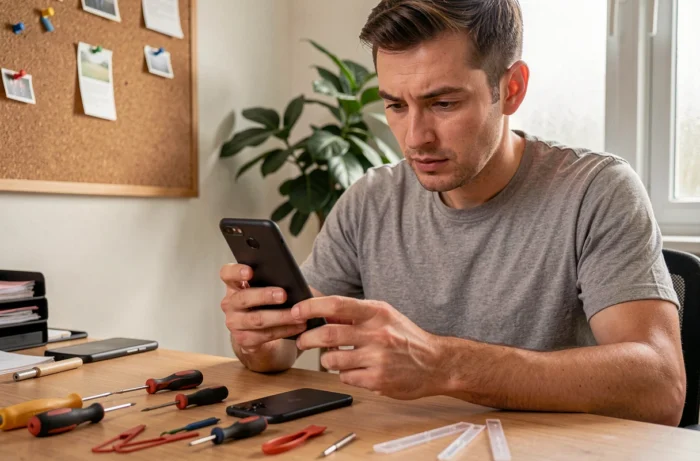
An Android smartphone that refuses to start on a Monday morning, a frozen screen while browsing, or a battery that drops from 40% to 0% without warning: these failures always happen at the worst time. Before rushing out to buy a new device, several software and hardware interventions can get an Android phone back up and running, sometimes in just a few minutes.
Forced restart and safe mode: the first reflexes when facing a frozen Android
When the screen is unresponsive or the phone is stuck on the manufacturer’s logo, we go straight for a forced restart. On most Samsung, Xiaomi, or Google Pixel models, simply hold down the power button and the volume down button simultaneously for about ten seconds. The device will cut power and then restart.
If the problem returns after this restart, safe mode helps isolate the cause. Hold the power button, then long-press “Power off” until the “Safe mode” option appears. This mode disables all third-party applications. If the smartphone works normally in this mode, a recently installed application is likely responsible for the freeze.
Specialized services like sosandroid.fr offer in-depth diagnostics when these basic manipulations are not enough to identify the issue.
Battery draining too quickly on Android: diagnosis and concrete solutions
A battery that can’t last the day doesn’t always mean it needs to be replaced. The first reflex is to check the app consumption in Settings > Battery. An app running in the background that consumes as much as the screen is abnormal.

Several common software causes should be checked before any hardware intervention:
- Location services permanently activated for apps that don’t need them (social networks, games) drain the battery without the user realizing it
- Automatic synchronizations of multiple accounts (Gmail, Drive, Samsung Cloud) multiply background network connections
- An outdated firmware may contain energy management bugs that are fixed in subsequent updates
If after these checks the battery continues to drain abnormally, we can check its actual state. On some Android models, the code *#*#4636#*#* provides access to battery statistics. A battery whose effective capacity has dropped by more than a third compared to its original capacity requires a physical replacement.
The European directive 2024/1799 changes the game on this point: smartphone manufacturers must now make spare parts, including batteries, available at a non-discriminatory price for independent repairers. We are no longer obliged to go through the manufacturer’s official service for a simple battery change.
Android repair under warranty: what the law requires from the manufacturer
Many users are unaware of the actual extent of their rights when a smartphone breaks down. In France, the Consumer Code provides for a 6-month extension of the legal warranty when a device is repaired under this warranty. The warranty is suspended for the entire duration of the intervention, meaning no days of coverage are lost.
At the European level, the framework requires that a device repaired under warranty benefits from at least 12 months of warranty extension after the repair. In practice, choosing warranty repair extends protection far beyond what a simple out-of-warranty part replacement would offer.
For out-of-warranty Android repairs, the directive also requires manufacturers to provide technical documentation and diagnostic tools to independent repairers. This framework limits hardware or software lockouts that previously prevented repairing a phone outside the official network.
Black screen on Android smartphone: distinguishing software failure from hardware breakage

A black screen does not automatically mean a broken screen. Before ordering a replacement panel, check that the phone shows signs of life: vibration on startup, notification LED, charging sound when the cable is plugged in. If these signals are present, the problem is likely software and not hardware.
In this case, a reset via recovery mode can unlock the situation. Access it by holding down the power button and the volume up button simultaneously (the combination varies by brand). The recovery menu allows you to clear the system cache or, as a last resort, perform a factory reset.
Warning: a factory reset erases all data on the phone. Without a prior backup, photos, contacts, and messages will be lost. If the screen is completely black and the phone does not vibrate at all when plugged in, the failure is hardware-related. Feedback varies on the reliability of third-party replacement screens depending on the brand, but the current regulatory framework facilitates access to original spare parts for smartphone repair.
Android data loss: back up before repairing
We rarely think about it before a failure, but backup is crucial. Google offers automatic backup to Google Drive (Settings > System > Backup), covering contacts, app settings, and call history. Photos go through Google Photos if synchronization is enabled.
For data not covered by cloud backup (some local files, encrypted messaging app data), transferring to a computer via USB cable remains the most reliable method. Backing up before any software repair attempt prevents turning a performance issue into permanent data loss.
A phone that restarts in a loop or has a non-functional screen obviously complicates recovery. In these situations, diagnostic tools connected via USB from a PC can sometimes access internal storage without going through the touchscreen, provided that USB debugging was enabled beforehand.
The most cost-effective reflex remains prevention: activate automatic backup as soon as the phone is set up, and check once a month that it is working. The day the smartphone breaks down, repair or replacement becomes a purely technical question, without the anxiety of losing years of photos and conversations.